
1
Take a product order
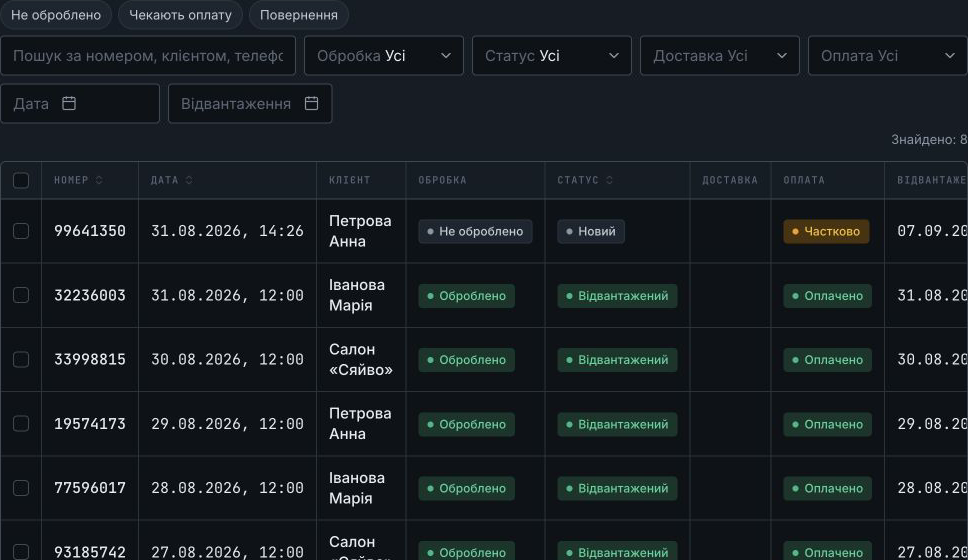
Customer, items, quantities, total and payment in one document. This example shows a partial payment and the outstanding balance.
See what working in Dilio looks like. Then open the demo and try your own scenario.
A shared demo account with fictional data. Don’t enter customer personal information, payment details or integration keys. Demo data may change or be reset.
Customer, items, quantities, total and payment in one document. This example shows a partial payment and the outstanding balance.
Services and products share customers, stock and finances in one system. A business that both sells and does work doesn’t need a second account.
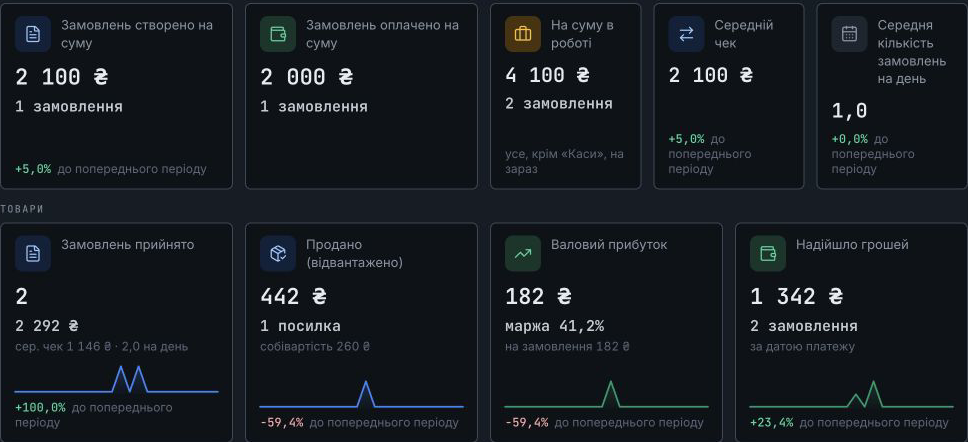
The dashboard brings together sales, payments and service activity for the selected period. Go from the overview to the underlying documents.
Dilio interface illustrations with demo data. Product names and images have been adapted for this website.
Choose your business setup, prepare the workspace and take an order from enquiry to payment.
Free forever · No card needed